Introducing mcpdiff.dev: Devtools for MCP
Your agent writes the MCP. You still have to read it.
MCP turns two on November 25, and it has not sat still. Five spec versions in two years. The handshake is gone. It went stateless. The way a server asks a user for input changed. Between 2025-06-18 and 2026-07-28 alone, 73 types were added, 9 removed and 64 changed.
That is a lot to keep in your head. Nobody does.
The agent writes it. You still have to read it.
These days most of us meet MCP through a coding agent. You ask for an elicitation flow, and a minute later there’s code. It looks right. Usually it is right. Until a client hangs, or a tool call comes back empty, and someone has to figure out which side should have spoken next, and whether that message is even valid in the version the other side speaks.
The agent can write it. It cannot understand it for you. That part is still yours.
For HTTP we had browser devtools. For MCP, if you’ve built a server, you know the dance. Copy a payload out of your agent. Paste it somewhere. Open the schema for the right version. Squint. Maybe write a little script to check one message against one spec version, throw it away, and write it again next week.
mcpdiff.dev
mcpdiff.dev is one place to understand MCP: what the spec says, how it changed, and what your payload actually says, checked against the right spec version. It’s free, there’s no account, and it runs in your browser. Nothing you paste or push is stored.
Start by learning the spec
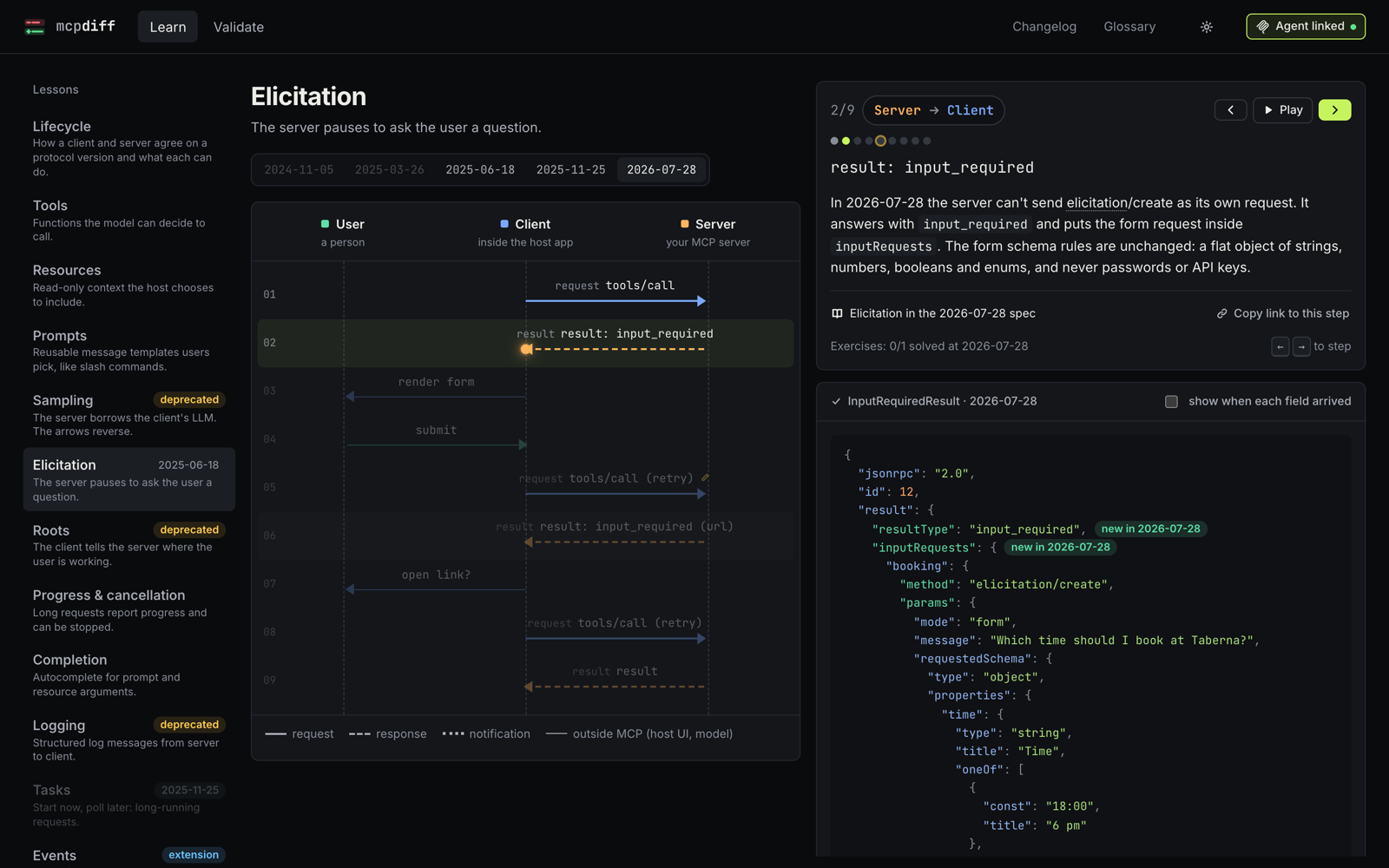
The lessons walk through the protocol feature by feature. Every core feature is a real exchange drawn as a sequence diagram, and you click through it one message at a time. Each lesson shows which spec version introduced it, how it changed since, and what’s deprecated and what to use instead. Switch the version and the same flow redraws, so you see what changed instead of reading about it.
If you have only ever met MCP through generated code, start here.
Then check what your payload says
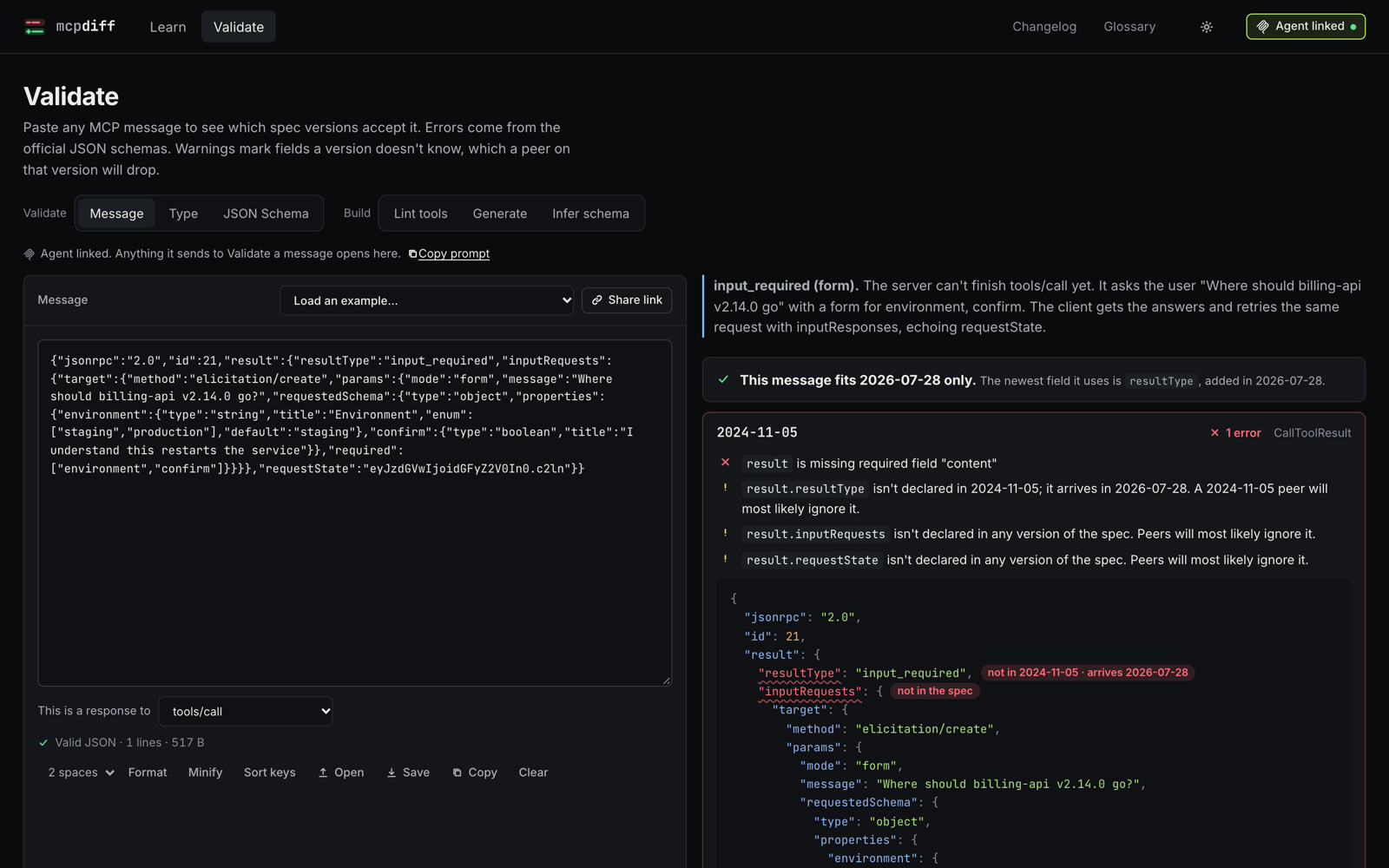
- A verdict on any message. Paste it in. You get what it is in plain words, which versions accept it, and what an older peer would quietly ignore.
- The changelog, visually. What each release added, changed and removed, and a diff of any two versions.
- Tool linting and examples. Review your tool definitions, or get a valid example of any message to start from.
The cherry on top: plug in your agent
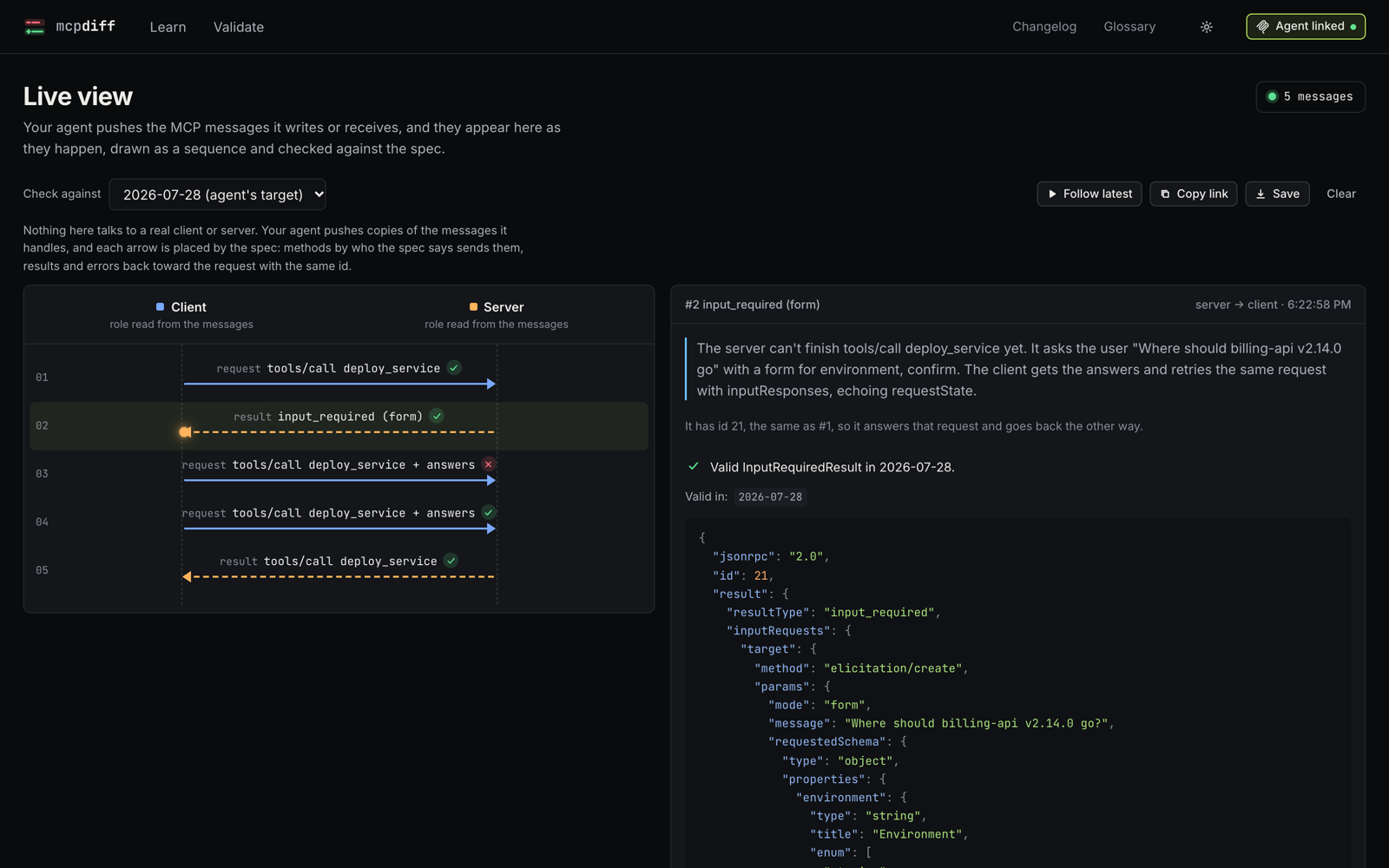
Once you know what to look for, let your coding agent show you. Every MCP message it writes or receives shows up in a browser tab as a sequence diagram, checked as it lands.
- Open mcpdiff.dev and click Connect agent.
- Add the mcpdiff MCP server to your coding agent, such as Claude Code or Cursor. It’s one command.
- Copy the prompt and paste it to your agent.
- Your agent starts pushing its MCP messages to your tab. Ask it to push any payload you want to check, and you’ll see it there.
This is where it earns its keep: when you’re building a custom MCP server and want to see exactly what each message says.
What it is not
mcpdiff checks message shape against the official schemas. It cannot check the rules the spec only states in prose, like ordering, capability negotiation and timing. Where mcpdiff and the spec disagree, the spec is right.
There are rough edges. If you hit one, tell me. I’m @avoguru on X.
Thank you, Arcade
mcpdiff is a community project, and it stays free because Arcade sponsors it. Thank you to the team at Arcade.dev for backing it.
Happy birthday, MCP.
So, what’s the last MCP message you copied out of your agent just to check it?